Use a real demonstration instead of a universal promise
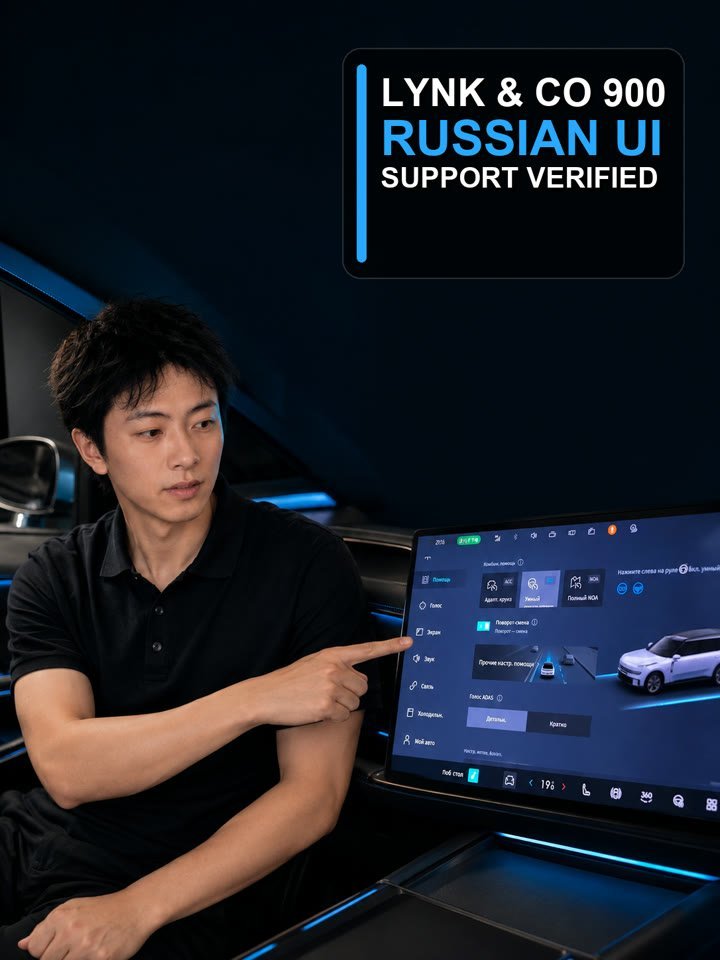
The source footage shows a Lynk & Co 900 with a Russian-language interface and the original functions visible in that demonstration. It supports a claim about the shown vehicle and functions, not every Chinese car or every software version.
Compatibility can change by model and software
Hardware generation, infotainment version, account services and later updates can affect language support. Confirm the exact model year, trim, software version and required functions before promising localization to a customer.
Test the functions the market actually needs
Check menus, settings, voice input, navigation, media, connected functions and update behaviour separately when they matter. Record which items were tested. Do not treat one translated screen as proof of full localization.
Prepare a precise request
Send the model, model year, quantity, destination, port and required language. Add the functions your customers consider essential. Zebra Motors can then check whether an appropriate language option is available for that exact order.
Create a language acceptance matrix
List the functions the customer will actually use and test each one independently: system menus, instrument cluster, voice recognition, navigation, Bluetooth, radio, mobile application, account login, online services, keyboard input, units and over-the-air updates. Mark each item as original support, localized by an approved method, partially translated, unavailable or not tested. This prevents the phrase “Russian language available” from hiding important gaps.
Save the vehicle model year, trim, hardware version, software version and test date with the matrix. Ask what happens after a reset, account change or software update and who can restore the configuration. When localization is part of the sale, write the accepted functions and support boundary into the order. A short demonstration then becomes evidence for a defined scope rather than a broad promise.
Write the supported language scope into the sale
The order should identify the language, the screens or functions covered, whether the solution is original or added, the test method and the support available after delivery. If navigation, connected services or a mobile application depend on region or account, describe that dependency. Avoid promising “full Russian” unless every agreed function was tested on the exact hardware and software version.
Give the destination dealer a copy of the acceptance matrix and recovery instructions. That creates a practical support record if a reset or update changes the system later. It also lets the dealer explain capabilities accurately to the final customer instead of repeating a general marketing phrase.